Night Mode vs Glasses: What Actually Filters?
Night Shift, Night Light and f.lux shift the white balance; glasses filter the whole field of vision. Measurements, limits and how to combine them.
· 14 min read
“Why would I buy glasses, if my phone already has a night mode?” It’s the most reasonable question you can ask, and it deserves a more serious answer than the one usually given by software fans (“Night Shift is enough”) or by glasses sellers (“software is useless”). The truth, as so often, lies in the technical detail.
Apple’s Night Shift, Windows and Android’s Night Light, f.lux and the like do one precise thing: they shift the screen’s white balance towards warmer tones, reducing the blue component emitted by the subpixels. They work, in the sense that they really do reduce part of the blue emission — but with three structural limits: the reduction is partial (a significant residual share remains), it acts only on the screen it’s active on, and it touches nothing else in your field of vision: the other monitor, the TV, the living-room LED lamps.
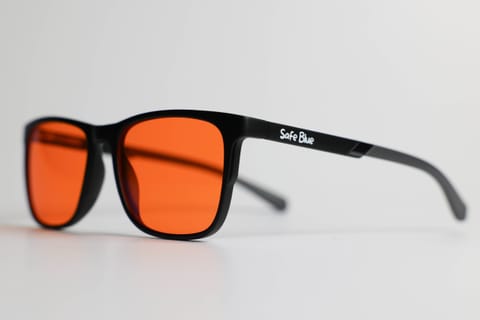
Glasses with an orange lens do something different: they filter all the light reaching your eyes, from any source, with much higher blocking percentages. In return they cost something, they have to be worn and they alter colours.
In this comparison we look at what exactly the two approaches do, what the published measurements say — including the one, rather uncomfortable for software, on the iPad’s Night Shift — and why the best answer for many people is not “one or the other” but a sensible combination of the two.
What Night Shift, Night Light and f.lux really do
All the software in this family works on the same principle: it modifies the operating system’s (or the GPU’s) colour conversion table to reduce the intensity of the blue channel, shifting the screen’s colour temperature from its native value — typically 6,500–7,000 K, a cool white similar to daylight — towards warmer values: 4,500 K, 3,400 K, down to 1,900–2,700 K in f.lux’s most extreme settings (“candle light”).
Apple describes Night Shift in exactly these terms in its own documentation: the feature “automatically shifts the colours of your display to the warmer end of the spectrum” according to the time, from sunset to sunrise. Windows’ Night Light and Android’s equivalent do the same with different interfaces. f.lux, the progenitor of the category (it’s been around since 2009), is the most aggressive and the most transparent: its research page gathers the literature on the sensitivity of melanopsin cells around 480 nm and openly explains that the aim is to reduce the evening circadian stimulus.
It’s important to understand what “reducing the blue channel” means: the blue subpixels aren’t switched off, they’re dimmed. A screen with Night Shift at maximum still emits blue light — less than before, but in a quantity that’s anything but negligible. How much less? It depends on the panel, on the intensity set and on the brightness: and this is where the published measurements become interesting.
The measurements: what the numbers say
The most cited measurement is the one by the Lighting Research Center (Nagare, Plitnick and Figueiro, 2019, published in Lighting Research & Technology): twelve participants used iPads between 11pm and 1am under four conditions, including two Night Shift settings (warmer and less warm). The result: melatonin suppression did not differ significantly between the two Night Shift settings, and the authors conclude that changing the spectral composition of the screen without reducing brightness may be insufficient to avoid effects on evening melatonin.
Translated: the colour of the screen counts, but the total amount of light counts at least as much. An “orange” iPad held at full brightness 30 cm from the face remains a significant light stimulus. It is a point the f.lux community itself acknowledges: the project’s research page cites studies in which luminance, exposure duration and the time of day count as much as colour temperature.
On the glasses front the same honesty applies: the 2023 Cochrane review found weak and conflicting evidence on sleep outcomes with filtering lenses, in studies conducted moreover mostly with low-filtering clear lenses. What orange glasses certainly offer is the physical fact: a lens with 95–99% blocking up to 530 nm cuts the incoming blue light from all sources by that percentage, measurable with a spectrophotometer. If you want to dig into the biological mechanism, here you’ll find the relationship between blue light and sleep explained at length.
The limits of software: what night mode doesn’t cover
The most underrated limit of night modes isn’t the residual percentage: it’s the perimeter. Night Shift acts on the iPhone it’s active on. Full stop. In the typical evening of a real person, however, the field of vision contains much more:
- The TV. Almost no television is used with a night mode active (some offer it, almost no one configures it), and the evening TV is often the dominant light source in the living room. We discuss it in detail in watching TV shows at night.
- The second screen. The work laptop with Night Light active next to the external monitor without it; or the configured PC and the un-configured smartphone.
- Home lighting. “Cool white” LED bulbs (4,000–6,500 K) emit a blue peak around 450 nm entirely comparable to that of a screen. No software touches them.
- The residual percentages. Even on the covered screen, the dimming of blue at typical settings is partial: a share of emission in the 450–490 nm band remains, especially if the brightness stays high — exactly the point raised by the 2019 study.
There’s also a limit of usage consistency: night mode has to be configured on each device, and a single app in HDR, a games console or a new device is enough to find yourself exposed without noticing. The panel type in turn affects the starting emission: we discuss it in OLED vs LCD and blue light.
In the software’s favour, its merits should be stated just as clearly: zero cost, no bulk, automatic once configured, and no alteration of the physical world around you — the screen colours change, but the room stays as it is.
What glasses do (and what they don’t)
Glasses with a high-filtering orange lens apply the filter at the point of arrival rather than at the source: whatever you look at — monitor, TV, smartphone, ceiling light — passes through the same transmission curve. With a lens like that of SAFEBLUE Classic (99% blocking between 400 and 500 nm and 85% between 500 and 530 nm, 65% visible transmission), the blue component of the evening scene is knocked down uniformly and measurably, without depending on each device’s configuration.
The other practical advantages: no configuration, no forgotten device, and an overall reduction of perceived luminance (that 65% transmission) which many people find pleasant in the evening hours.
The limits, just as concrete: they have to be worn (and remembered); they introduce an evident warm cast, which makes colour judgement unreliable — the topic is explored in orange vs clear lens; they aren’t suitable for night driving; and they cost, typically between €30 and €90 for a serious product. Finally, the underlying honesty we always repeat: blocking the light is a guaranteed physical fact, the outcomes for how you’ll sleep are not — the scientific evidence on the matter remains limited.
Comparison table: night mode vs orange glasses
| Characteristic | Night mode (Night Shift, Night Light, f.lux) | Orange-lens glasses |
|---|---|---|
| Mechanism | White-balance shift via software | Physical absorption filter |
| Blue reduction on the screen | Partial, depends on setting and brightness | 95–99% up to ~530 nm |
| Covers other screens | No, only the configured device | Yes, the whole field of vision |
| Covers TV and home lighting | No | Yes |
| Effect of residual brightness | Significant (cf. Nagare 2019 study) | Luminance dimmed too (~65% transmission) |
| Cost | Free | €30–90 |
| Configuration | Per device | None |
| Colour alteration | On the screen, adjustable | Across the whole scene, fixed |
| Suitable for colour work | No (at useful intensities) | No |
| Can be forgotten | Yes (un-configured devices) | Yes (if you don’t wear them) |
The combination: why it’s not “one or the other”
Put this way, the practical conclusion is less polarised than the debate would have you believe. The two approaches cover each other’s weaknesses, and using them together is the most sensible setup for anyone spending evenings in front of screens:
- Night mode on all devices, all year round. It’s free, you configure it once, and it reduces emission at the source. Set fixed times (for example from 8pm) instead of sunset, and lower the brightness: it’s the variable the 2019 study indicates as decisive. On iPhone you’ll find the details in our dedicated guide.
- Orange glasses in the 2–3 hours before bed. They cover what software can’t: TV, second screen, lamps, forgotten devices. And they bring overall filtering to levels no software setting reaches.
- Warm lighting at home in the evening. 2,700 K bulbs or less in evening rooms: minimal cost, an effect on the whole family, zero daily effort.
If you have to choose just one of the two: for anyone using a single device in the evening (only a smartphone, for example), a well-configured night mode at low brightness is the obvious, free first step. For anyone living multi-screen evenings — TV plus phone plus laptop, the most common scenario — software alone leaves most of the scene uncovered, and the physical filter becomes the only way to cover all of it.
Configuring night mode well (before spending)
Before even considering glasses, it’s worth squeezing the most out of what you already have for free, because many people use night mode sub-optimally and then conclude that “it doesn’t work”. Three adjustments make the difference:
- Set a fixed time, not sunset. Tying activation to sunset, in summer, means having a cool screen until well past 9pm. If you go to bed at 11pm, the window of interest is the 2–3 hours before: set activation to a fixed time (for example 8pm) consistent with your routine, not with the season.
- Push the temperature towards warm. The default settings are often timid. On Night Shift and Night Light raise the slider towards “warmer”; on f.lux, the evening profiles at 2,700 K or less cut the blue component far more than the neutral value.
- Lower the brightness. It’s the variable the 2019 study indicates as decisive and that almost everyone forgets: a warm but very bright screen remains an important stimulus. Reduce brightness manually in the evening, or use features like white-point reduction (on iOS, Reduce White Point) to go below the standard minimum.
Once you’ve done these three things, you’ve got the most out of the software without spending a euro. If at that point your evening stays multi-screen and you want to cover the TV, the lights and the un-configured devices too, that’s the moment when the physical filter adds something the software, by construction, can’t give. For the full decision-making picture see also how to choose blue light glasses.
A point on brightness, valid for both
There’s a thread running through the whole comparison that’s worth isolating: the total amount of light counts as much as its colour. The iPad study says so, and the f.lux research page reminds us of it when it notes that luminance and exposure duration weigh in alongside colour temperature. From this, two practical consequences.
The first: neither approach, on its own, is a complete solution if you keep looking at a very bright screen twenty centimetres from your face for hours. Lowering the brightness is the zero-cost gesture that amplifies the effect of any filter, software or physical.
The second: the orange filter has a small structural advantage here too, because by lowering visible transmission to 65% it also indirectly reduces the luminance reaching the eyes — not just the blue component. It is not a substitute for lowering the screen brightness, but it acts in the same direction across the whole field of vision, whereas software acts only on the device and only on colour. It’s a technical detail, but it explains why many people perceive the evening as “more restful” with the physical filter even at the same colour.
Frequently asked questions
Does Night Shift eliminate the screen’s blue light?
No. It dims it by shifting the white balance towards warm: part of the emission in the 450–490 nm band remains, to a degree that depends on the intensity set and the screen’s brightness. No software setting brings the block to the levels of a physical orange filter.
What’s the difference between Night Shift, Night Light and f.lux?
The principle is identical; what changes is platform and flexibility. Night Shift (Apple) and Night Light (Windows/Android) offer a simple adjustment on a warm-cool scale. f.lux (Windows, macOS, Linux) allows more extreme colour temperatures (down to ~1,900 K), gradual transitions tied to solar time, and separate profiles for night hours.
Does the iPad study say Night Shift is useless?
It says something more precise: under the conditions tested (evening use at un-reduced brightness), the two Night Shift settings produced no significant difference in melatonin suppression. The correct reading is that the colour change alone, without lowering the brightness, isn’t enough — not that colour is irrelevant.
If I use f.lux at maximum, do glasses become superfluous?
On the configured screen, f.lux at 1,900 K cuts the blue component a great deal. But all the other screens and the room lighting stay uncovered, and the luminance stays. If your evening is “only PC with f.lux at maximum in a room with warm lights”, you’re already in good shape; if there’s a TV or a smartphone too, the physical filter covers what f.lux doesn’t see.
Does night mode distort colours as much as an orange lens?
At low intensities, less; at intensities useful for the evening, the alteration is comparable, with the difference that it concerns only the screen. In both cases, serious colour work should be done by day, with no filters active.
Can I use night mode during the day too?
You can, but by day it makes little sense: exposure to daylight, in its blue component too, is physiological for the circadian rhythm. The typical settings indeed schedule activation from sunset to sunrise.
Do orange glasses work even if the screen already has night mode active?
Yes, the two filters add up: the lens filters the residual light the screen keeps emitting. It is the combined setup described above, and it’s the one with the highest overall spectral coverage.
And in the evening I read on an e-reader: do I need anything?
E-ink e-readers with an adjustable warm front light emit far less than a tablet, especially at minimum brightness and an amber tone. In that specific scenario, an additional filter adds little: it’s probably the least problematic evening device there is.
How much does each solution cost?
Night modes are free and already installed. f.lux is free for personal use. Orange-lens glasses with documented quality typically cost €30–90; an overview of the prices is in how much blue light glasses cost.
In short
Night modes and orange glasses aren’t competitors: they’re two tools with different perimeters. The software partly reduces the blue emission of a single screen, free and automatically, but doesn’t cover the rest of the scene or the brightness — and the published measurements say that brightness is precisely half the problem. The physical filter covers the whole field of vision with much higher blocking percentages, at the price of a warm cast and of having to wear it. The most rational setup for multi-screen evenings is the combination: night mode everywhere, warm lights at home, glasses in the hours before bed. If you need the physical piece, SAFEBLUE Classic declares its transmission curve (99% blocking between 400 and 500 nm, cutoff at 530 nm), costs €49.90 and has a 30-day return: the simplest way to verify on your own evening what the numbers say on paper.
Sources
This article is for information only and does not constitute medical advice. See a qualified optometrist for any vision concerns. SAFEBLUE is a visual comfort accessory, not a medical device.
Related articles
Orange vs Clear Lens: The Real Differences
Transmission spectra, blocking percentages and colour rendering: the technical comparison between orange and clear lenses, to work out which suits you.
Do orange lenses make everything look orange?
Yes, there's a warm cast. But your visual system adapts: when you stop noticing it, when it stays a problem and when it doesn't. The honest answer.
Blue light glasses: prescription or not? All the options
You wear prescription glasses and want a blue light filter? Contacts plus plano lenses, clip-ons or filtered prescription lenses: costs and trade-offs compared.
How to Choose Blue Light Glasses: Criteria and Data to Ask For
Blocking percentages per nm range, CR-39 or polycarbonate, visible transmission, CE and UV400: the concrete criteria for choosing blue light glasses.