OLED vs LCD: Which Emits More Blue Light?
Emission spectra, the LED backlight's blue peak, the role of brightness and colour temperature: the technical OLED vs LCD comparison, PWM included.
· 13 min read
“OLED emits less blue light than LCD”: it is one of those claims that circulate on forums and spec sheets, true enough to survive and vague enough to drive the wrong purchases. The correct answer — as almost always when emission spectra are involved — is: it depends how you use them.
The two technologies generate light in radically different ways. An LCD has a white-LED backlight always on, with the characteristic emission peak around 450 nm, and modulates it pixel by pixel with a liquid-crystal layer. An OLED has no backlight: each subpixel is an independent organic emitter, and a black pixel is simply switched off. From this architectural difference flow almost all the practical consequences for blue light emission — but the picture is only complete once you add the two variables users underestimate most: the brightness you set and the colour temperature.
In this comparison we line up the spectra of the two technologies, explain why at equal white OLED tends to emit less in the blue band, quantify the weight of the settings, and isolate a topic that is often confused with blue light but is something else entirely: PWM flicker. If you are starting from zero on panel technologies, the overview of monitor types may be useful first.
Two architectures, two spectra
LCD (LED-LCD, including the QLED and mini-LED variants). The light comes from white LEDs: a blue chip with a peak typically around 450 nm plus a phosphor layer that converts part of the emission into green-yellow-red. The resulting spectrum has a recognisable signature: a narrow, prominent blue peak, a valley around 480–490 nm and a broad hill across the rest of the visible range. The liquid crystals and colour filters modulate this light but do not generate it: the blue peak is “stock”, whatever image is on the screen.
OLED. Each red, green and blue subpixel directly emits its own light (in WOLED panels there is also a white subpixel, generated from blue emitters with conversion layers). The overall spectrum is the sum of three (or four) distinct and relatively narrow emissions. The blue component is there — it is needed to compose white — but its intensity depends entirely on the displayed content: an editor in dark mode lights the blue channel very little, a white Excel sheet lights it to the maximum.
| Characteristic | LED-LCD | OLED |
|---|---|---|
| Source | LED backlight always on | Per-subpixel emission |
| Blue peak | Structural (~450 nm, from the pump LED) | Present, proportional to content |
| Black | Backlight on, residual leakage | Pixel off, emission ~0 |
| Full-screen brightness | Constant, even 350–600+ nits | Often limited by ABL |
| Blue emission with dark theme | Reduced but present | Almost none |
Why OLED tends to emit less blue at equal white
The comparative spectral investigations — the most cited being RTINGS’ across dozens of televisions — converge on one result: in typical usage conditions, OLED panels emit less blue light than LED-LCDs. The reasons are three, in order of importance:
- Fewer total nits. The energy emitted in each spectral band scales with luminance. OLEDs, especially over large white areas, are limited by the Automatic Brightness Limiter and reach lower full-screen brightness than an LED-LCD of the same tier. Less total light = less blue light in absolute terms.
- No constant backlight. On mixed or dark content (films, dark interfaces, code), the OLED physically switches off the pixels that are not needed. An LCD keeps “pumping” its full spectrum behind the panel, and the liquid crystals let some of it escape even on blacks.
- Different spectral distribution. The white of an LED-LCD comes entirely from a blue LED: the share of energy concentrated in the ~450 nm peak is structurally high. In OLEDs the white is composed by summing distinct emitters, and the proportion of energy in the 400–500 nm band at equal white point is typically more contained.
Watch the boundary conditions, though, because the advantage is not unconditional:
- an OLED at maximum brightness on light content emits more blue than an LCD used at 100 nits;
- the most recent OLED panels (QD-OLED, high-luminance variants) have raised the achievable nits considerably, narrowing the gap;
- an LCD with a hardware “low blue light” backlight certified by TÜV Rheinland can have, in the critical 415–460 nm band, a lower relative emission than a non-optimised OLED.
The honest summary: the technology shifts the odds, the settings decide the result.
Brightness: the variable that dominates everything
If there is a single number to remember from this article it is this: halving the brightness roughly halves the blue energy emitted too. No OLED vs LCD comparison makes sense without fixing the nits.
A few practical references:
- 100–150 nits: brightness suited to a room with soft evening lighting. It is the zone where any technology emits little in absolute terms.
- 200–300 nits: a lit office, daytime use. Intermediate emission.
- 400+ nits: very bright rooms or HDR. Here even a “low blue light” panel emits plenty of energy in the 400–500 nm band, simply because it emits plenty of energy overall.
The paradox to avoid is the “showroom monitor”: a screen at 100% brightness in a dark room. As well as maximising blue emission, it creates an enormous gap between the screen’s luminance and the room’s — the combination most people find least comfortable in long sessions. The practical rule: the screen should not look like a light source in the room, but an illuminated object.
Colour temperature: how much blue is in your white
The second lever is the white point. The calibration standard is D65 (~6500 K), a neutral-cool white that contains a full blue component. Moving towards 5000 K — manually or via Night Shift, Night Light, f.lux or the monitor’s reader mode — substantially lowers the energy emitted in the blue band, on both technologies.
Fixed points:
- It works on both OLED and LCD, because it acts on the signal: the blue channel is attenuated before reaching the pixels or the matrix.
- The trade-off is chromatic: at 5000 K and below, the image takes on an obvious warm cast. For reading and writing it is irrelevant; for colour work it is unacceptable.
- It is not a total filter: even a very warm white contains light between 400 and 500 nm. Software modes lower, they do not zero out.
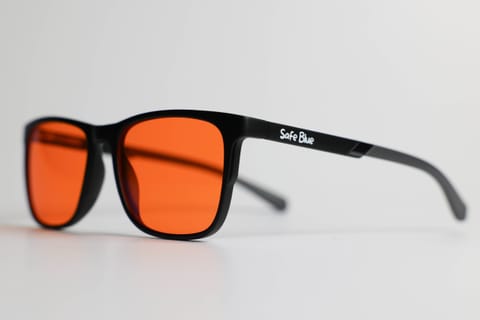
This is where the alternative strategy comes in: instead of altering the screen, filter in front of the eyes. An orange lens with a sharp cutoff — the comparison with clear lenses explains why the lens colour is not a cosmetic detail — cuts the blue band on all the screens in the room, leaves the monitors’ calibration intact for anyone sharing the screen or working by day, and reaches filtering percentages (99% between 400 and 500 nm in the case of SAFEBLUE Classic) that no colour temperature reaches without destroying the image.
On perceived effects, it should be said plainly: the 2023 Cochrane review on filtering lenses found no solid evidence of short-term benefit for visual fatigue, and the American Academy of Ophthalmology attributes screen discomfort mainly to how we use devices (reduced blinking, sessions without breaks) rather than to blue light itself. The filtering numbers are verifiable physics; what you get from them in your routine is for you to judge.
PWM and flicker: a different issue, to be assessed separately
In threads on OLED and visual comfort, blue light and flicker get regularly mixed up. They are independent phenomena:
- Blue light = which wavelengths the screen emits. It is measured with a spectroradiometer, expressed as a spectral power distribution.
- Flicker = how luminance varies over time. Many OLED panels (and some LCDs) control brightness with PWM: very rapid on-off cycles whose frequency and modulation depth vary from model to model.
Why the distinction matters:
- An OLED can win the comparison on blue emission and lose it on flicker, if it uses low-frequency PWM with deep modulation — typically more noticeable at low brightness, exactly the levels recommended for evening use.
- The countermeasures are different: for blue light you act on brightness, colour temperature and filters; for flicker you need panels with high PWM frequencies or DC dimming, and no filtering glasses change the temporal modulation of the light.
- The certifications assess them separately: TÜV Rheinland has distinct programmes for “Low Blue Light” and “Flicker Free”, and the “Eye Comfort” score aggregates them but measures them one by one.
If you are sensitive to flicker, look in the technical reviews for the specific model’s PWM frequency (RTINGS measures it systematically) before choosing the OLED for its lower blue emission: you would risk solving one issue and introducing another.
And mini-LED, which we mentioned in passing? In this comparison it sits on the LCD side: the backlight remains white LEDs with their structural blue peak, but the thousands of local-dimming zones let it switch off almost entirely on dark areas, bringing its practical behaviour close to an OLED’s on dark content. On light content, however, it inherits the LCD profile — with the aggravating factor of often-higher peak brightness. It is why a MacBook Pro XDR used at 150 nits in the evening and the same panel at full brightness tell two completely different stories, on identical hardware.
OLED or LCD for evenings in front of the screen?
Let us try to translate everything into concrete recommendations for real scenarios.
Films and TV series in the evening (TV or monitor in the living room). OLED is favoured: dark content, moderate brightness, pixels off where the image is black. RTINGS’ comparative measurements on televisions confirm the on-average lower blue emission in typical living-room conditions. We have dedicated a guide to evening marathons to this scenario.
Working on documents and spreadsheets (full-screen white content). The OLED advantage shrinks a lot: with large white areas the blue subpixels work at full tilt and the ABL is the only brake. Here the settings (low nits, warm white in the evening) and any filters count more than the panel technology.
Photo/video editing. Colour fidelity is required: no software low blue light mode, no 5000 K white. The options compatible with calibration are three: a panel with a certified hardware filter, schedule management (grading at 23:00 is a bad idea for other reasons too), or a wearable filter to use during the phases that do not require colour judgment.
Evening gaming. It depends on the panel and habits: OLED gives true blacks and switches off the dark areas of scenes, but mind the PWM; a flicker-free LCD at contained brightness is a solid alternative. In both cases the long session at high brightness remains the dominant factor.
Frequently asked questions
So OLED always emits less blue light than LCD?
No: it tends to emit less in typical usage conditions (mixed content, moderate brightness), because of the pixels off on blacks and the limited full-screen brightness. An OLED at maximum nits on white content can emit more blue than a well-adjusted LCD. The technology counts, the settings count more.
Is the LCD’s 450 nm peak dangerous?
The peak is a documented physical fact (it is the blue LED that generates the white). On effects, the American Academy of Ophthalmology states there is no evidence of permanent damage from the blue light of consumer screens, while the effect on the circadian rhythm in the evening hours is recognised. Distinguishing the two planes — measurable spectrum vs debated effects — is the honest way to read the question.
Does OLED white still contain blue light?
Yes, necessarily: without a blue component you cannot compose white. The difference from LCD lies in the proportion of energy concentrated in the 400–500 nm band at equal white point and, above all, in the fact that the emission follows the content: fewer light areas, less blue.
Are QD-OLED and WOLED the same from this point of view?
Similar but not identical. Both start from blue emitters (QD-OLED converts part of the blue into red and green via quantum dots; WOLED uses conversion layers and a white subpixel). The resulting spectra differ in detail and the achievable brightness too: for the specific model, only the spectral measurements published in technical reviews hold.
Is it worth buying an OLED just for blue light?
As the sole reason, no: you get the same reduction on an LCD by lowering brightness and warming the white in the evening, for free. OLED is chosen for contrast, blacks and image quality; the lower blue emission in typical conditions is a bonus, not a buying reason on its own.
Does dark mode reduce blue light on LCD too?
Little. On LCD the backlight stays on and the liquid crystals block the light imperfectly: dark theme lowers the perceived luminance but the background emission remains. On OLED, by contrast, dark mode physically switches off the pixels: there the reduction is real and substantial.
Do filtering glasses work the same way with OLED and LCD?
Yes: the lens filters by wavelength, not by screen technology. A lens with a cutoff at 530 nm attenuates the 400–530 nm band whatever the source — OLED, LCD, mini-LED or the room’s LED lighting. It is why people who use several devices often prefer the wearable filter to a screen-by-screen configuration.
Can the OLED flicker be filtered with a lens?
No. Flicker is a temporal modulation of luminance: a lens attenuates its overall intensity but does not change the modulation frequency. If PWM bothers you, the solution is to choose panels with high frequencies or DC dimming — it is a buying criterion, not a filtering one.
How do I read the blue light measurements in technical reviews?
Look for the spectral power distribution (SPD): a graph with wavelengths on the x-axis (380–780 nm) and relative energy on the y-axis. On LED-LCDs you will see the narrow peak around 450 nm; on OLEDs, distinct peaks for the three emitters. The measurement condition matters too: white point, luminance and on-screen content must be declared, otherwise comparisons between models are not reliable.
Are the manufacturers’ “blue light filter” TVs OLED or LCD?
They exist in both families. The wording alone says little: it can indicate a simple warm picture mode (software) or a genuine reduced emission in the 415–460 nm band certified by third parties such as TÜV Rheinland or Eyesafe. Before paying a premium, check which of the two you are buying: the first one any screen from the last ten years already has.
In short
OLED and LCD emit blue light in structurally different ways: the LCD has a “stock” blue peak in its always-on backlight, the OLED emits only where and as much as the content requires. In typical usage conditions OLED emits less — independent measurements confirm it — but brightness and colour temperature remain the decisive variables on both technologies, and PWM flicker should be assessed as a separate topic.
Whatever panel you have: nits at the lowest comfortable level, warm white after sunset, and if the evening in front of screens is long and multi-device, the most consistent filter is the one you wear. SAFEBLUE Classic blocks 99% of the 400–500 nm band and 85% between 500 and 530 nm with 65% visible transmission — €49.90, returnable within 30 days to try it on your real setup, OLED or LCD as it may be.
Sources
This article is for information only and does not constitute medical advice. See a qualified optometrist for any vision concerns. SAFEBLUE is a visual comfort accessory, not a medical device.
Related articles
Monitor types and blue light: LCD, OLED, mini-LED compared
How much blue light do LCD, OLED, mini-LED and e-ink emit? Spectral peaks, low blue light modes and TÜV Rheinland and Eyesafe certifications, explained well.
4K Monitors and Blue Light: The Resolution Myth, Busted
4K emits no more blue light than Full HD: panel, backlight, nits and settings are what count. A practical guide to settings, software filters and glasses.
MacBook and Blue Light: XDR Display, Night Shift, f.lux
Liquid Retina XDR, mini-LED and blue light: what Night Shift, True Tone and f.lux really do on macOS and how to set up the Mac for evening work.
Watching TV Shows at Night: Eyes, Settings, Habits
Binge-watching in a dark room: OLED vs LCD, cinema mode, viewing distance, ambient light and when filtering glasses actually make sense.