Monitor types and blue light: LCD, OLED, mini-LED compared
How much blue light do LCD, OLED, mini-LED and e-ink emit? Spectral peaks, low blue light modes and TÜV Rheinland and Eyesafe certifications, explained well.
· 15 min read
Not all screens emit the same blue light. An office LCD monitor, an OLED television, a MacBook Pro with mini-LED backlight and an e-ink reader have profoundly different emission spectra, and understanding these differences is the first step to making an informed choice about how to manage the hours you spend in front of a screen.
The confusion comes from marketing: “low blue light”, “eye comfort”, “reading mode” are labels makers apply to very different technologies — sometimes to a simple software filter that yellows the image, sometimes to genuine hardware changes to the emission spectrum. Certifications from bodies like TÜV Rheinland and Eyesafe have brought a bit of order, but you need to know what they actually measure — and what they don’t.
In this guide we analyse the four big families of display technology — LED-backlit LCD, OLED, mini-LED and e-ink — from the standpoint of blue light emission: where the spectral peak around 450 nm comes from, why brightness matters more than the technology itself, what changes when you turn on a “low blue light” mode, and when it makes sense to add an external filter, whether software or a pair of glasses with a filtering lens. If you’d first like a refresher on what blue light physically is, you’ll find it all in this introductory guide.
Where a screen’s blue light comes from
To understand why almost all modern screens have an emission peak in the blue, you have to start from how white light is generated in LEDs. A “white” LED doesn’t emit white light natively: it’s a blue LED — with an emission peak typically around 450 nm — coated with a layer of phosphors that converts part of that blue light into green, yellow and red. The perceived result is white, but the underlying spectrum tells another story: a narrow, tall “mountain” in the blue, followed by a broader, lower distribution across the rest of the visible spectrum.
This design dominates consumer electronics because it’s efficient and cheap, and it’s why the spectral investigations carried out by independent labs like RTINGS on LED TVs and monitors systematically show that peak in the blue region. It isn’t a flaw of any one maker: it’s a structural feature of the technology.
Two important clarifications:
- The blue peak doesn’t mean the screen “looks blue”. The white balance (colour temperature, measured in Kelvin) determines the proportion between the components, but even a warm white at 5000 K generated by LEDs contains a significant blue component.
- The energy emitted scales with brightness. A screen set to 350 nits emits far more blue light — in absolute terms — than the same screen at 120 nits. It’s the single factor the user has the most immediate control over.
It’s also worth recalling the position of the American Academy of Ophthalmology: according to the AAO there’s no evidence that the blue light from consumer screens causes permanent damage, while its role in regulating the circadian rhythm is documented. The scientific debate is open and it’s right to present it honestly: here we focus on the physical data, which is measurable and verifiable.
LED-backlit LCD: the market standard
The vast majority of monitors on sale are LCD (Liquid Crystal Display) with a white-LED backlight, often labelled W-LED. The structure is layered: a back light source always on, a layer of liquid crystals acting as a “tap” for each pixel, and the colour filters that separate red, green and blue.
The key point: the backlight is on even when you’re looking at a dark page. The liquid crystals block light imperfectly, so an LCD always emits a certain amount of light — blue peak included — proportional to the brightness set, whatever is on the screen.
Within the LCD family there are variants that change the spectrum:
| Variant | How it generates white | Spectral feature |
|---|---|---|
| Standard W-LED | Blue LED + yellow phosphor (YAG) | Narrow blue peak ~450 nm, broad yellow-green spectrum |
| LED + KSF/PFS phosphors | Blue LED + narrow-band phosphors for red | Purer reds, blue peak unchanged |
| Quantum Dot (QLED) | Blue LED + nanocrystals re-emitting green and red | More saturated colours, the “pump” stays a blue LED |
| Hardware low blue light | LED with peak shifted towards longer wavelengths | Reduction of the 415–460 nm band at the emitter level |
The last row deserves attention: some makers have introduced backlights with the emission peak shifted beyond the most-discussed zone of the spectrum. It’s the so-called “hardware low blue light” solution, which TÜV Rheinland explicitly distinguishes from the software solution precisely because it doesn’t alter the perceived colour rendering.
Otherwise, on a traditional LCD the available levers are the settings: brightness, colour temperature and the firmware’s possible “reader” or “low blue light” mode. More on this shortly.
OLED: every pixel is its own light source
OLED (Organic Light-Emitting Diode) panels flip the architecture: there’s no backlight, every single subpixel emits its own light. The consequences for blue emission are interesting:
- A black pixel is genuinely off. On dark content — a code editor with a dark theme, a night-time film — the screen’s total emission, blue included, collapses. On an LCD the backlight would stay on.
- Blue emission depends on content. An OLED’s instantaneous spectrum varies with what it shows: a full-screen white document activates the blue subpixels intensely too, a dark interface almost not at all.
- Full-screen brightness is typically lower. For reasons of power and organic-material longevity, many OLEDs limit brightness over large white areas (ABL, Automatic Brightness Limiter). Fewer nits, in absolute terms, mean less blue energy emitted.
The comparative measurements published by RTINGS on TVs point this way: under typical use conditions, OLED panels tend to emit less blue light than LED-LCDs, above all because of the lower overall luminance. But careful not to turn it into dogma: an OLED set to maximum brightness on light content still emits a significant blue component, because OLED blue subpixels (and WOLED panels with a white subpixel, which use conversion from blue) work in that region of the spectrum.
The detailed comparison between the two technologies, spectra in hand, is in the dedicated article OLED vs LCD and blue light.
There’s finally a topic often confused with blue light: flicker. Many OLEDs regulate brightness via PWM (Pulse Width Modulation), that is, by switching pixels on and off at high frequencies. It’s a visual-comfort topic in its own right, independent of the emission spectrum, and should be assessed separately when choosing a panel.
Mini-LED and e-ink: the two extremes
Mini-LED isn’t an alternative panel technology: it’s an evolved LCD backlight, with thousands of tiny LEDs organised into local-dimming zones. The spectrum stays that of white LEDs (blue peak included), but with two practical differences:
- the zones can switch off almost entirely over dark areas, bringing the behaviour closer to an OLED on dark content;
- peak brightness is often very high (the MacBook Pro XDR displays claim 1000 nits sustained full-screen), so at maximum settings a mini-LED can emit more blue light in absolute terms than a traditional LCD. Here too: it’s the usage brightness that makes the difference, not the label on the box. On the Apple case we’ve written a specific guide on MacBook and blue light.
E-ink is the opposite extreme: a reflective display that emits no light of its own. The electrophoretic ink particles reflect ambient light, exactly like paper. An e-reader with the front light off has blue emission equal to zero. The story changes with the frontlight: the LEDs built into the bezel illuminate the surface, and if they’re standard white LEDs they reintroduce a blue component (many recent e-readers offer amber/warm LEDs precisely to reduce it). It stays an order of magnitude apart, though: a few tens of nits against the hundreds of a monitor.
| Technology | Light source | Blue emission on dark content | Typical usage brightness |
|---|---|---|---|
| LCD W-LED | Always-on backlight | Present (leakage) | 100–350 nits |
| OLED | Per pixel | Almost nil | 100–300 nits (SDR) |
| Mini-LED | Zoned backlight | Low (zones off) | 100–600+ nits |
| E-ink | Ambient light + optional frontlight | Nil or minimal | 0–80 nits |
”Low blue light” modes: what they actually do
Almost all recent monitors have a mode in the OSD menu called “Low Blue Light”, “Eye Saver”, “Reader” or similar. In the great majority of cases this is a software solution: the firmware reduces the blue channel’s output (and often tweaks the green), shifting the white point towards warmer colour temperatures — from 6500 K towards 5000 K or less.
Does it work? Yes, in the physical sense: less signal to the blue channel means fewer blue photons emitted. TÜV Rheinland, though, describes the trade-off clearly: reducing the blue pixels’ output “is simple and cheap, but introduces a noticeable yellow cast and degrades image quality”. For writing text it’s perfectly fine; for photo editing or video grading it’s unusable, because it alters exactly what you’re trying to judge.
The hardware solution is different: the maker modifies the backlight (emitter materials or panel-level filters) to specifically reduce the 415–460 nm band while keeping the white point and colour rendering. It’s the route rewarded by the most recent certifications, because it doesn’t force a choice between filter and colour fidelity.
Three things low blue light modes do not do:
- they don’t reduce brightness in themselves (that has to be adjusted separately, and it’s just as important);
- they don’t act on the blue light that still passes: even the most aggressive mode lets a substantial part of the 400–500 nm spectrum through;
- they don’t follow the user: they apply only to that screen. Anyone working across several devices (monitor + laptop + phone) has to configure them one by one, or move the filter from the device to the person — that’s the case for glasses with a filtering lens, whose workings and limits we’ve examined here.
TÜV Rheinland and Eyesafe certifications: what they measure (and what they don’t)
The two marks you find most often on monitors and laptops are TÜV Rheinland and Eyesafe, sometimes together (the Eyesafe Display Requirements 2.0 were developed in collaboration with TÜV Rheinland precisely).
TÜV Rheinland Low Blue Light / Eye Comfort. The certification assesses the proportion of blue light emitted by the display, with attention to the 415–460 nm band within the overall 380–500 nm blue spectrum. It distinguishes between software solutions (with a yellow cast) and hardware ones (spectrum modified at source, colours preserved), and the most recent “Eye Comfort” programme aggregates several parameters — blue, flicker, reflections — into a star score.
Eyesafe Display Requirements. The Eyesafe standard defines two metrics: the Radiance Protection Factor (RPF), centred on the 435–440 nm region, and the more recent Circadian Protection Factor (CPF), referring to the 480–500 nm band associated in the literature with melatonin suppression. It also requires precise colour-rendering criteria to be maintained: a certified display can’t simply “yellow everything”.
What these certifications don’t say:
- They aren’t a clinical judgement. They measure emission spectra, not effects on people. The research on outcomes (comfort, sleep) stays debated — the 2023 Cochrane review on filtering lenses, for instance, found no clear evidence of short-term benefit on visual fatigue.
- They don’t fix usage brightness. A certified display used at 400 nits at night emits more blue light than a non-certified one used at 100 nits.
- They don’t cover the whole digital day. The certification applies to that panel; the phone you look at in bed is a separate matter.
They’re still a useful signal at the buying stage: all else equal, a panel with a certified hardware filter starts ahead.
How to reduce exposure, whatever screen you have
Putting the pieces together, here’s the practical hierarchy of actions, from the most to the least impactful on the total blue light reaching your eyes:
- Lower the brightness to the lowest comfortable level for the ambient lighting. It’s the most powerful lever: emission scales almost linearly with the nits.
- Warm the colour temperature in the evening: 5000 K or less via the OSD, Night Shift, Night Light or f.lux. The RTINGS measurements on software filters confirm that shifting the white point substantially reduces the blue component emitted.
- Make use of dark themes if you have an OLED (and to a lesser extent a mini-LED): on these technologies dark content translates directly into less emission.
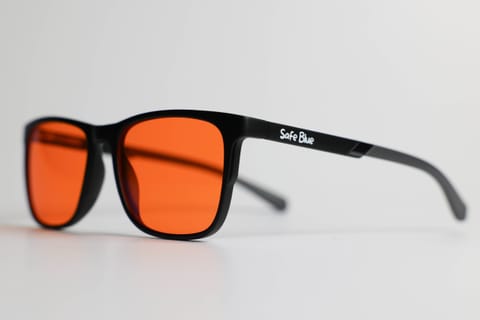
- Consider a filter that follows you: a filtering lens worn applies across every screen at once, certified monitor or not. An orange lens with a cutoff at 530 nm like the one in SAFEBLUE Classic blocks 99% of the light in the 400–500 nm band and 85% between 500 and 530 nm, with 65% visible transmission: physical figures, stated and verifiable, that no software mode reaches without making the screen unwatchable.
- Manage the surroundings: a completely dark room with the screen on maximises pupillary contrast; warm, soft ambient light is the most comfortable setup for evening sessions.
Frequently asked questions
Which monitor type emits the least blue light?
At equal set brightness, an OLED on predominantly dark content is the emissive technology with the lowest blue emission, because the black pixels are off. In absolute terms, though, e-ink wins: being reflective it emits nothing of its own (only any frontlight). Among LCDs, panels with a certified “hardware low blue light” backlight start ahead.
Is it true that all LEDs have a peak at 450 nm?
The white LEDs used in backlights are almost always blue LEDs with a peak around 450 nm coated in phosphors. There are variants with the peak shifted to slightly longer wavelengths, used precisely in hardware low blue light panels. The exact value varies from component to component: be wary of anyone quoting numbers to the decimal for a specific model without a spectral measurement in hand.
Is my monitor’s low blue light mode enough?
It depends on the goal. It genuinely reduces the blue component emitted (it’s physics, not marketing), but it introduces a yellow cast, doesn’t lower brightness on its own and applies only to that monitor. If you spend the evening across monitor, laptop and phone, or you need colour fidelity, it’s worth combining several tools — including wearable solutions.
Does a TÜV or Eyesafe certified monitor eliminate the problem?
No: it certifies that the emission spectrum meets certain thresholds in the critical band, not that overall exposure is negligible. Usage brightness, session length and timing count at least as much as the spectrum. The certification is a good buying criterion, not a magic switch.
Does quantum dot (QLED) emit more blue light than a normal LCD?
Not systematically. Quantum dots still use blue LEDs as the “pump” and convert part of it into purer green and red. The resulting spectrum has more saturated colours but the blue peak stays, in a position similar to a W-LED. The practical differences depend more on brightness and calibration than on the presence of the nanocrystals.
Are e-ink screens really zero blue light?
The screen itself, yes: it reflects ambient light like paper. If you turn on the frontlight, the built-in LEDs emit a blue component too — less than an LCD, both for the spectrum and for the much lower brightness levels, and many recent models offer adjustable amber tones. In the evening, a warm frontlight at minimum is the most conservative setup.
Does flicker (PWM) have anything to do with blue light?
No, they’re two distinct phenomena. PWM concerns how brightness is modulated over time (rapid switching on and off), blue light concerns which wavelengths are emitted. A panel can be flicker-free and emit a lot of blue, or vice versa. They should be assessed separately in technical reviews.
Does it make sense to use filtering glasses if I already have a low blue light monitor?
They’re complementary, not alternatives. The filtered monitor reduces emission at source on that device; the worn lens acts on everything you look at, phone included, and with far higher filtering percentages than any software mode. For intensive evening use many people prefer to combine them. On the direct comparison between the two strategies there’s a dedicated article.
In short
A screen’s blue light doesn’t depend on the label on the box but on three concrete factors: how the light is generated (white LED with a blue peak ~450 nm, per-pixel OLED emission, e-ink reflection), how much light you emit (the nits you set) and which spectrum reaches your eyes after any hardware or software filters. The TÜV Rheinland and Eyesafe certifications measure the spectrum at source and are a sensible buying criterion; brightness, hours and habits stay in your hands.
For long evenings in front of several screens, when night mode and dark themes aren’t enough or alter the colours of your work, a wearable filtering lens is the simplest complement: SAFEBLUE Classic blocks 99% of the 400–500 nm band with 65% visible transmission, costs €49.90 and has 30-day returns — the most direct way to test on your own routine what spec sheets can only state. It is not a medical device: it’s an optical filter, with clear and verifiable numbers.
Sources
This article is for information only and does not constitute medical advice. See a qualified optometrist for any vision concerns. SAFEBLUE is a visual comfort accessory, not a medical device.
Related articles
OLED vs LCD: Which Emits More Blue Light?
Emission spectra, the LED backlight's blue peak, the role of brightness and colour temperature: the technical OLED vs LCD comparison, PWM included.
4K Monitors and Blue Light: The Resolution Myth, Busted
4K emits no more blue light than Full HD: panel, backlight, nits and settings are what count. A practical guide to settings, software filters and glasses.
MacBook and Blue Light: XDR Display, Night Shift, f.lux
Liquid Retina XDR, mini-LED and blue light: what Night Shift, True Tone and f.lux really do on macOS and how to set up the Mac for evening work.
What is blue light? Spectrum, wavelengths and sources
What is blue light, explained simply: the visible spectrum, wavelengths, why 400–530 nm, natural and artificial sources. A clear and honest guide.