iPhone and Blue Light: Night Shift and True Tone Tested
What Night Shift, True Tone and dark mode really do about the iPhone's blue light, why the 30 cm distance matters and when glasses help.
· 13 min read
The iPhone is the screen we look at most and from closest: dozens of unlocks a day, often 25–35 centimetres from our eyes, with a final session that for many coincides with bed. Apple has known this for years, and indeed iOS is full of features that touch the display’s colour and brightness: Night Shift, True Tone, dark mode, white point reduction, colour filters in the accessibility settings.
The problem is that these features do different things, and a bit of folklore has settled around each. Does Night Shift “remove blue light”? Partly. Does True Tone “filter the screen in the evening”? No, it does something else entirely. Does dark mode “switch off the blue”? It depends on the panel. And meanwhile the most important variable — the distance you hold the phone at and the brightness you hold it at — has no dedicated switch.
In this investigation we take the features apart one by one using Apple’s official documentation, see what physics and the scientific literature say (including the American Academy of Ophthalmology’s sceptical position on night modes), explain why a smartphone at 30 cm weighs more than a TV at 3 metres in your daily blue light budget, and clarify where filtering glasses sit relative to all this. For the general picture on the 400–500 nm band, start from what is blue light.
The iPhone screen: OLED, bright, very close
All recent iPhones use OLED panels (Super Retina XDR, in Apple’s terminology): each pixel emits its own light, the blacks are genuinely off, and the overall emission — blue component included — follows the displayed content. Unlike an LCD there is no backlight with an always-on blue peak: the blue is emitted by the subpixels when it is needed to compose the image. We analysed the structural differences between the two architectures in the comparison OLED vs LCD.
Three features make the iPhone a special case, though, relative to TVs and monitors:
- High brightness. Recent iPhone panels reach very high declared peaks (over 1000 nits outdoors). Indoors, automatic brightness keeps them much lower, but a phone set “to the max” by hand in the evening emits plenty.
- Minimal distance. 25–35 cm against the 60–80 of a monitor and the 2–4 metres of a TV. For the amount of light entering the eye, distance is a square-law lever: we come back to it shortly, because it is the heart of the matter.
- Times of use. The iPhone is typically the last screen of the day and the first of the morning. For the circadian rhythm, the time of exposure counts as much as the intensity: the deep dive is in blue light and sleep.
Night Shift: what it really does (and does not)
Night Shift, introduced with iOS 9.3, is the feature that comes closest to a native “blue light filter”. Apple’s documentation is precise: Night Shift “automatically shifts the colours of your display to the warmer end of the spectrum” on a set schedule or from sunset to sunrise, using the clock and geolocation.
Translated into physics: the white point moves towards lower colour temperatures, the blue channel is attenuated at the signal level, the image becomes visibly warmer. The “Colour Temperature” slider (from “Less Warm” to “More Warm”) sets the size of the shift.
What it really does:
- lowers the blue component emitted, in proportion to the chosen intensity: it is a real, measurable effect, not a graphical placebo;
- automates the transition: it turns on by itself in the evening, requiring no discipline.
What it does not do:
- does not zero out the 400–500 nm band: even at the warmest setting, the screen keeps emitting blue light — simply less. No software mode reaches the percentages of a dedicated optical filter;
- does not touch brightness: Night Shift at maximum with the screen at 600 nits still emits plenty of blue energy in absolute terms;
- does not guarantee effects on sleep: here honesty is needed. The American Academy of Ophthalmology, commenting on night modes specifically, advises against expecting miracles and recalls that screen discomfort depends mainly on how we use devices. The specific research on Night Shift and rest quality has given mixed results.
Verdict: a useful feature, zero cost, worth keeping on in the evening — knowing it is a partial reduction, not a filter.
True Tone: it is not a blue light filter
Here the misunderstanding is almost universal. True Tone — present on iPhone, iPad and Mac — uses multichannel ambient light sensors to adapt the display’s white and intensity to the room’s lighting, “so images appear more natural”, as Apple puts it.
In practice: in a room with warm light, True Tone warms the screen’s white; under cold office light, it cools it. The goal is perceptual consistency between screen and room, not blue light reduction. If anything: by day, under cold lighting, True Tone may keep a cooler white than you would set by hand.
| Feature | What it adjusts | Goal | Lowers blue? |
|---|---|---|---|
| Night Shift | Colour temperature, on a schedule | Warmer white in the evening | Yes, partly |
| True Tone | White and intensity, on ambient basis | Consistency with the room | Only if the room is warm |
| Dark mode | Interface palette | Comfort and power use | On OLED, yes (less light area) |
| White point reduction | Maximum perceived luminance | Less dazzling screen in the dark | Indirectly (fewer nits) |
True Tone and Night Shift coexist perfectly: the first handles consistency with the surroundings, the second adds the evening shift towards warm. But if the goal is to lower evening exposure to the blue band, the relevant feature is Night Shift; True Tone is display quality, not filtering.
Dark mode and brightness: the underrated levers
On the iPhone’s OLED, dark mode has a concrete physical effect: black pixels are off, so a dark interface drastically lowers total emission — blue included — compared with the same app on a white background. It is a real difference, not just cosmetic, and on iPhone it can be scheduled (Settings → Display & Brightness → Automatic) to switch on at sunset alongside Night Shift.
Brightness remains the queen lever, though. A few habits that shift the balance more than any toggle:
- leave automatic brightness on: in the evening, in dark settings, it lowers the nits far more than you would by hand;
- “Reduce White Point” (Settings → Accessibility → Display & Text Size) lowers the maximum luminance further for use in the dark: useful for reading in bed;
- avoid the phone at maximum brightness in a dark room: it is the worst scenario — pupils dilated by the dark surroundings, screen blasting hundreds of nits at 30 cm.
There is finally the extreme route of accessibility colour filters (a red tint over the whole screen): effective on the spectrum, but so invasive on colour rendering that very few keep it on. It is the sign of a structural limit: beyond a certain threshold, filtering via software means making the screen unusable.
Why 30 centimetres count more than 3 metres
And here we are at the point the marketing of “low blue light” TVs prefers to skip over: all else being equal, distance dominates. The illuminance a source produces on the eye falls with the square of the distance: the same source brought from 3 metres to 30 centimetres produces on the eye an illuminance on the order of a hundred times greater.
The realistic TV vs iPhone comparison is less extreme — the TV is far larger and brighter in absolute terms — but the substance holds: the small, close screen occupies a wide portion of the visual field and its light arrives concentrated and from close up, what is more at the worst times. A few practical consequences:
- the session in bed with the iPhone weighs more than the evening on the sofa in front of the TV, in the budget of evening exposure to the blue band;
- lowering the phone’s brightness in the evening is more incisive than optimising the TV;
- moving the screen away helps: even just going from 25 to 40 cm noticeably lowers retinal illuminance, besides being more comfortable for prolonged focus.
There is also a less intuitive geometric factor: the solid angle. At 30 cm, a 6.1” iPhone covers an angular area in the visual field comparable to that of a 65” TV seen from about 3 metres. The difference is that the TV shares the scene with a lit room, while the phone in bed is often the only source in a dark setting: more dilated pupils, maximum contrast between screen and background, and all the emission concentrated at the centre of your gaze.
It is no accident that the Eyesafe standard — born to certify the blue emission of displays with requirements on the 435–440 nm and 480–500 nm bands — was adopted first of all on smartphones and laptops: they are the devices where close-up exposure is structural.
Filtering glasses and iPhone: where they come into play
Let us line up what we have seen: Night Shift lowers but does not zero out, True Tone does something else, dark mode helps only on interfaces that support it, brightness has to be managed by hand or automatically. A share of blue light remains that the screen emits anyway — and all the other screens and LED lights of the evening remain too.
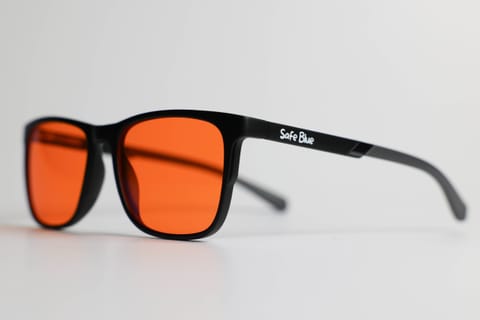
The wearable filter solves a different problem from the settings: it follows the person, not the device. An orange lens with a cutoff at 530 nm filters the iPhone, the sofa tablet, the TV and the kitchen’s cold LED lamp all the same, configuring nothing and altering no screen’s calibration. On the numbers, a lens like the one in SAFEBLUE Classic blocks 99% of the 400–500 nm band and 85% of the 500–530 nm band with 65% visible transmission: percentages out of reach for any combination of Night Shift and dark mode.
The scientific counterpart is due, with no discounts: the 2023 Cochrane review on filtering lenses found no clear evidence of short-term benefit for visual fatigue, and for sleep outcomes the available evidence is limited and of low certainty. What the lens guarantees is the physical filtering figure; the effect on your evening routine is subjective, and indeed the sensible way to discover it is to try it in your own real conditions (the 30-day return is for this). The systematic comparison between software night modes and glasses is in this dedicated article.
A typical use scenario where the lens makes more sense than yet another setting: the hour before bed across iPhone, backlit e-reader and a TV on — three devices, three operating systems, a single worn filter.
Frequently asked questions
Does Night Shift eliminate the iPhone’s blue light?
No: it lowers it by shifting the white point towards warm tones, by an amount adjustable with the temperature slider. Even at the warmest setting, the screen keeps emitting a part of the 400–500 nm band. It is a useful, free reduction, not a total filter.
Is True Tone any use for lowering blue light in the evening?
No. True Tone adapts the display’s white and intensity to ambient light via sensors, for a more natural rendering: with warm ambient lighting it warms the screen, with cold light it cools it. The feature designed for the evening is Night Shift; the two can stay on together.
Is it worth keeping Night Shift on all day?
By day it does not make much sense: exposure to light (blue included) in daytime hours is physiological, and the warm cast worsens the rendering of photos and videos. The very logic of the feature is its scheduling: a neutral white by day, warm from the evening.
Does iOS dark mode really lower emission?
Yes, on iPhones with an OLED panel: dark pixels emit little or nothing, so a dark interface cuts overall emission relative to a white background. The effect depends on the apps: a web page on a white background stays white even in system dark mode, barring overrides.
How much does brightness matter compared with Night Shift?
A lot: the energy emitted scales with the nits. An iPhone at high brightness with Night Shift on can emit more blue light than one at low brightness without Night Shift. The two levers should be used together: automatic (or low) brightness plus a warm white point.
Is it true that looking at the phone in bed is worse than the TV?
For exposure, generally yes: the screen is 25–35 cm from the eyes (illuminance falls with the square of distance), it occupies most of the visual field in the dark, and the use coincides with the minutes immediately before sleep. The TV at 3 metres, however large, plays in a different league.
Do filtering glasses work with the iPhone’s OLED screen too?
Yes: the lens filters by wavelength, not by panel type. The blue component emitted by the OLED subpixels falls in the same 400–500 nm band as that of an LCD, and is attenuated the same way. The lens also works on all the room’s sources, not just the phone.
With Night Shift on, are glasses redundant?
They do overlapping things but to a very different degree: Night Shift partly lowers the blue of a single device, the orange lens cuts 99% of the 400–500 nm band on everything you look at. Many use both: software settings as a baseline, glasses in the last hours of the day. Which strategy delivers more in your routine you can only judge by trying.
Do “anti blue light” films for iPhone work?
Certified films lower a share of the blue band (third-party-verified models exist), but the declared percentages should be read carefully: they often refer to narrow sub-bands, not the whole 400–500 nm range. They remain a partial filter on a single device anyway.
Does the iPhone’s always-on display emit blue light during the night?
Very little: in always-on mode the panel drops to minimal brightness and a reduced refresh, and with the wallpaper dimmed the pixels emit a negligible fraction relative to active use. If it sleeps on the bedside table facing you and that bothers you, Sleep Focus switches it off entirely: more a question of darkness in the room than of the blue band.
Is there a way to turn on all the evening settings at once?
Yes, with iOS Shortcuts and automations: you can create an evening automation that turns on dark mode, lowers brightness and sets a Sleep Focus, while Night Shift already follows its own schedule. Once configured, the phone’s “evening mode” starts on its own — you supply the discipline once, at setup.
In short
The iPhone offers serious tools to manage colour and brightness — Night Shift for the warm evening white, True Tone for consistency with the surroundings, dark mode that on OLED genuinely lowers emission — but none of these is a total filter, and none offsets the two decisive variables: how many nits you blast and the distance you hold the screen at, especially in the hour before bed.
The rational configuration costs nothing: Night Shift scheduled, automatic brightness, evening dark mode, the phone a little further from your face. If your evening is then multi-screen and you want filtering with numbers of an entirely different order, the wearable lens is the final piece: SAFEBLUE Classic blocks 99% of the 400–500 nm band with 65% visible transmission, costs €49.90 and with the 30-day return you can check it exactly where it counts — on your sofa, with your iPhone in hand. SAFEBLUE is a visual comfort accessory, not a medical device: an optical filter with declared specifications.
Sources
- Apple Support — Use Night Shift on your iPhone, iPad, and iPod touch
- Apple Support — Adjust the screen brightness and color on iPhone
- American Academy of Ophthalmology — Should You Use Night Mode to Reduce Blue Light?
- Cochrane Library — Blue-light filtering spectacle lenses (2023)
- Eyesafe — Display Requirements & Standards
This article is for information only and does not constitute medical advice. See a qualified optometrist for any vision concerns. SAFEBLUE is a visual comfort accessory, not a medical device.
Related articles
MacBook and Blue Light: XDR Display, Night Shift, f.lux
Liquid Retina XDR, mini-LED and blue light: what Night Shift, True Tone and f.lux really do on macOS and how to set up the Mac for evening work.
Monitor types and blue light: LCD, OLED, mini-LED compared
How much blue light do LCD, OLED, mini-LED and e-ink emit? Spectral peaks, low blue light modes and TÜV Rheinland and Eyesafe certifications, explained well.
Blue light and sleep: melatonin, circadian rhythm, data
Blue light and sleep: what studies say about melatonin and the circadian rhythm, the effect of evening light and why glasses are not a promise of sleep.
Night Mode vs Glasses: What Actually Filters?
Night Shift, Night Light and f.lux shift the white balance; glasses filter the whole field of vision. Measurements, limits and how to combine them.